Microsoft Licensing & Negotiation Boot Camp · Orlando
Build your strategy before Microsoft’s first proposal arrives.
Independent Microsoft licensing and negotiation training in Orlando, March 9 to 11, for the SAM, ITAM, procurement and IT leaders who make their company’s Microsoft decisions.
$2,795 per seat for 2 or more Save 20%
Interested in a European Microsoft licensing training in 2027? Tell us where and when.
Bring your renewal team and save 20% on every seat
Microsoft sends a deal team to your renewal. Send one back. Send 2+ attendees for just $2,795 each. Your SAM, procurement, and contract specialists leave with shared insight and are fully aligned.
Team rate applies to seats from the same organization.
| 1 seat | $3,495 | |
| 2 seats | $5,590 | save $1,400 |
| 3 seats | $8,385 | save $2,100 |
| 4 seats | $11,180 | save $2,800 |
March is the ideal time to start preparing
Most Microsoft agreements renew on June 30 or December 31, and the best negotiators start 6 to 9 months out. The Orlando training is timed perfectly to give you the runway you need to build your strategy.
Current rules, the negotiation playbook, and a to do list you can start on the week you get back.
Discovery done, position set, and a team that knows which of Microsoft’s opening numbers to reject.
Time to fix compliance gaps, clear shelfware, and price the EA, MCA and CSP paths against each other.
What your team leaves with
The first day and a half covers the full breadth of Microsoft licensing. The second half moves to the contract and the negotiation, taught by former Microsoft Deal Managers.
Licensing
- Microsoft 365 suite levels, and why mixing levels in one tenant creates compliance exposure
- Copilot and agents: what a user license actually adds, what costs extra, and where E7 fits 2027
- Security and compliance add-ons, and which ones overlap what you already own
- Power BI and the move from Premium to Fabric, and how to keep it cost neutral
- Power Apps and Power Automate licensing before citizen development turns into a surprise bill
- Windows Server and SQL Server on premises and in Azure, including where hybrid benefit helps and where it creates audit risk
Negotiation
- The Microsoft Customer Agreement displacing the EA, and what changes for organizations moved to MCA-E 2027
- Your Financial Cliff: the gap between today’s run rate and your post-renewal run rate, and how to calculate it before Microsoft does
- Every document in the contract stack, and which terms are actually negotiable
- The roles on Microsoft’s deal team, how they are compensated, and what each one can approve
- Microsoft’s negotiation playbook and standard timeline, and how to run IT, procurement, finance and legal as one team
- Audit defense: finding your own exposure before an auditor does
The agenda
Three full days, 8:00am to 5:00pm Eastern. Content is refreshed every session, so module titles may shift as Microsoft’s rules do. See every topic covered.
- Course overview
- Microsoft 365 ecosystem introduction
- Break
- Demo: Microsoft 365 forensics tool, then Personal & Group Productivity
- Break
- Personal & Group Productivity, continued
- Lunch and instructor breakout
- Power BI & Fabric
- Break
- Power BI & Fabric, then Security & Compliance
- Break
- Security & Compliance, continued
- End of day
- Power Automate & Power Apps, then Copilot & Agents
- Break
- Copilot & Agents, continued
- Break
- Windows Server on premises and in the cloud
- Lunch and instructor breakout
- Windows Server, continued
- Break
- SQL Server on premises and in the cloud
- Break
- Contract negotiation landscape
- End of day
- Contract negotiation landscape, continued
- Break
- Preparing for your contract negotiation
- Break
- Preparing for your negotiation, continued
- Lunch and instructor breakout
- Contract terms
- Break
- Contract terms, continued
- Break
- Contract negotiation best practices
- End of boot camp
Lunch breakouts
Bring your questions. Instructors take small group Q&A over lunch each day.
Evening networking reception
Compare notes with peers from other large enterprises working the same renewal problems.
What you take home
The course notebook, a to do list of action items, a reference guide to consult afterward, and peer contacts.
Topics covered
Explore every product and contract area covered during the event.
Microsoft 365
Microsoft 365 ecosystem overview
- Available suite levels, and choosing by individual or organizational need
- “Batteries not included” capabilities that need extra licensing: per user, per device, per instance or consumption
- Constraints on mixing suite levels in the same tenant
- How US Government Cloud differs from commercial
Windows OS Azure
- OS capabilities and rights by suite level
- Extended Security Updates for legacy versions
- Per-device licensing for kiosks
- VDI licensing rules by hosting location, and extra costs on Amazon
- Azure Virtual Desktop and Windows 365, and how their licensing differs
Office client applications
- PC and Mac, browser and mobile capabilities in Microsoft 365 suites
- Per-device licensing scenarios
- Licensing Office apps without human users
- Office Professional Plus legacy licensing
Exchange Online, SharePoint Online and Teams
- Suite-level capabilities and add-ons
- On-premises rights (CALs) and server software included with Microsoft 365
- Teams capabilities included: AI, events, management, PBX, audio conferencing, scheduling and hardware
- Which Teams features need add-on licenses
Power Apps, Power Automate and more
- What the suites include versus what needs an add-on
- Visio, Planner, Viva and other suite or add-on capabilities
Security and management
- Entra, Intune and Defender features by suite level and add-on
- Security Copilot, Sentinel and Defender Experts licensing
- How Conditional Access components are structured
Legal and regulatory compliance
- eDiscovery and audit logging by suite level
- Retention, data loss prevention and information governance
- Communication compliance and insider risk management
AI, data and servers
Microsoft 365 Copilot and agents
- How AI licensing and pricing are evolving, with usage and spend reporting
- Pre-buy options and discount levels
- Microsoft 365 Copilot Basic versus Premium user SKUs
- Copilot Cowork capabilities and consumption costs
- Agent authoring environments and runtime costs
- Agent governance and Agent 365 purchasing
- Other Copilot products beyond Microsoft 365
Power BI and Fabric
- Component architecture
- Licensing by back-end platform type and size
- Per-user versus capacity licensing
- Mapping Power BI Premium P to Fabric SKUs, and tactics for the mandatory migration
- Fabric sizing and capacity options that save money
- Copilot in Power BI and Fabric under capacity licensing
- Power BI Report Server dual-use rights, and content creator license requirements
Windows & SQL Server Azure
Windows Server
- What drives cost: virtualization, core count, edition and client count
- Allocating licenses to physical servers or VMs, and how to choose
- Microsoft 365 client-side rights and outside contractor obligations
- Extended Security Updates and Remote Desktop Services CALs
- Azure VM licensing with reservations and savings plans, and handling Azure capacity shortages
- Azure Hybrid Benefit: the savings and the risks
- Dev/test VM licensing, and AWS’s stricter rules
SQL Server
- Per-core rules that drive edition choice and whether you need SA
- Three common on-premises deployment scenarios, and cutting cost through VM consolidation
- Passive failover rights, Server + CAL, and dev/test licensing
- Azure VM and database service licensing with reservations and savings plans
- Applying Azure Hybrid Benefit, and its risks
- AWS licensing restrictions for SQL Server
Contracts and negotiation
EA and MCA overview
- EA eligibility, and its major advantages and disadvantages
- The timeline for MCA displacing the EA, and what it means for you
- EA versus MCA compared, and how to offset EA drawbacks
- Microsoft 365 benefits unique to the EA
- EA basics: price levels and true-ups
- How government EAs differ
Contract stack terms and concessions Azure
- A deep dive into the EA and MCA contract documents
- Which exceptions and concessions are negotiable
- Using your Microsoft Azure Consumption Commitment (MACC) as leverage
- Product-specific concessions for Microsoft 365, Azure, Windows Server and more
- How Unified Support relates to your EA or MCA
- Financial scenario modeling and impact analysis
Contract negotiation best practices
Preparing to negotiate
- Recent Microsoft changes that affect contracts
- The stages of a negotiation, and what success looks like: terms, relationship and career
- Building the negotiation team, and best practices
- Why discovery matters, and how to gather information
- Collecting contract documents and license data
At the table
- Microsoft’s negotiating team: 10+ roles, how they are paid, and what each can approve
- Microsoft’s negotiation playbook and timelines
- Framing concession and discount requests
- When and how to escalate
- Common mistakes in Microsoft counter-proposals, and how to track them
- Closing the project and debriefing stakeholders
Where is Azure? Everywhere. Azure licensing is covered across multiple boot camp sessions, because Azure-based charges run through the whole Microsoft product portfolio, from virtual desktops and Windows Server to SQL Server, Copilot and your contract commitments. Topics marked Azure include it.
Topics are refreshed every session as Microsoft’s rules change.
Your instructors
Analysts who write Directions on Microsoft’s licensing research, and a professional negotiator who used to run the Microsoft Deal Desk. Three of them spent a combined 27 years working inside Microsoft, and one ran IT for a Fortune 500 company.

Rob Horwitz
Rob analyzes and writes about Microsoft licensing programs and product use rules, and has led the firm’s licensing research and training since cofounding Directions on Microsoft in 1992. Before that he spent eight years at Microsoft in development and technical marketing, including as a developer on the first version of Word for Macintosh. BS in computer science from MIT, MBA from Wharton.

Dean Bedwell
Before joining Directions on Microsoft, Dean was president of Software Asset Advisors, a software licensing consultancy. Prior to that, Dean spent twelve years at Microsoft in a variety of sales and licensing roles, including management of the Canadian Business Desk responsible for negotiating agreements with enterprise and public sector customers. B.A. in Biology from McMaster University.

Andrew Snodgrass
Andrew covers Microsoft’s data management, business intelligence and machine learning products, and the licensing behind them. He was previously vice president of IT for a global Fortune 500 company, directing IT strategy for its worldwide operations, and founded and sold an independent data integration software company. BBA from Boise State, MBA from Colorado State.

Wes Miller
Wes covers Microsoft’s security, identity and systems management technologies, and the licensing behind them. He spent seven years at Microsoft as a program manager in the Windows system division. Before that he was a product and development manager at Austin startups including Winternals Software, which Microsoft acquired in 2006. BA in psychology from the University of Alaska Fairbanks.
Who to send
Microsoft’s deal team negotiates agreements like yours every week. Your team does it once every three years. The boot camp closes that gap for each person who touches the agreement.
SAM and ITAM
Entitlement accuracy is the whole job, and the rules changed again this year. Leave able to defend a true up and find shelfware before it gets renewed.
IT procurement and sourcing
You evaluate proposals written by people paid on what you buy. Learn what is standard, what is concession, and who at Microsoft can approve it.
Software contract managers
The contract stack module walks the documents one by one: product terms, amendments, and the MCA terms replacing the EA.
IT directors
You own the roadmap and the budget line. Align Copilot, Azure and security plans with a licensing position before Microsoft prices them for you.
We have never sold a Microsoft license
Our business model is built on independence—so we tell you what Microsoft and its resellers never will.
No stake in what you buy
We are not Microsoft and not a reseller, so we take no margin on your spend and carry no quota tied to your renewal. We do not sell SAM tooling either, so there is no platform pitch at the end of the week.
Backed by published research
The course rests on the same licensing guides and monthly updates our analysts write for Atlas, our Microsoft intelligence platform. You leave with a reference to consult, not just notes.
Focus and depth
An independent firm working on Microsoft and nothing else since 1992. Not a one person shop, and not a side line of a larger consultancy.
Our competitors attend
Consultants and resellers send their own people to this class. That is the clearest signal available about where the knowledge sits.
What past attendees say
Selected from published attendee feedback.
Provided more useful information in 3 days than Microsoft has in the last 10 years.Allan B.IT Manager, Aramark Corporation
The course paid for itself in the first hour.Karen S.IT Procurement Manager, Maritz
Completely changed the way I looked at negotiating. I put too much trust in our reseller.Dana C.Sr. IT Asset Manager, MultiCare Health Systems
Packed with high-value information you won’t find anywhere else.Geoffrey P.Corporate IT Manager, General Motors
Microsoft licensing is a moving target. This training keeps me ahead of the curve.Larry D.Sr. Project Process Analyst, FedEx
Helped me align our technical roadmap with our licensing strategy.Steve H.IT Director, USAA
I only wish I attended before we started our talks with Microsoft.Ray H.IT Director, Covenant Health
The material covered, the questions answered, and group interaction significantly contributed to my readiness for our upcoming EA.Eric S.Sr. Program Manager, NetApp
We’re all coming back next year.Melissa W.Software Acquisition & Management, Experian
Networking with others dealing with big Microsoft licensing challenges was great.Scott S.VP Global IT Sourcing, Cooper Standard Automotive
Graduates include people from State Farm · FedEx · General Motors · Lockheed Martin · Eli Lilly · General Mills · ConocoPhillips · USAA · Experian · Xerox · H&R Block · NetApp · Volvo · Deloitte
Leave the parka at home
In early March most of our attendees are still scraping windshields. Orlando is in the high 70s. You will spend the days indoors working on your renewal, but the evenings are yours.
Average March high, °F
Monthly averages from Current Results, based on NOAA climate normals.
Venue
Hyatt Regency Orlando
9801 International Drive, Orlando, Florida 32819, United States
Schedule
Tuesday to Thursday, March 9 to 11, 2027. Sessions run 8:00am to 5:00pm ET each day, so fly in Monday and out Thursday evening or Friday.
Getting there
Orlando International Airport (MCO) has nonstop service from most major North American cities and is about 12 miles from the hotel, roughly 15 to 20 minutes by car. The hotel does not run an airport shuttle, so taxi or rideshare is the easiest option.
Meals
Breakfast, lunch and snacks throughout the day are included.
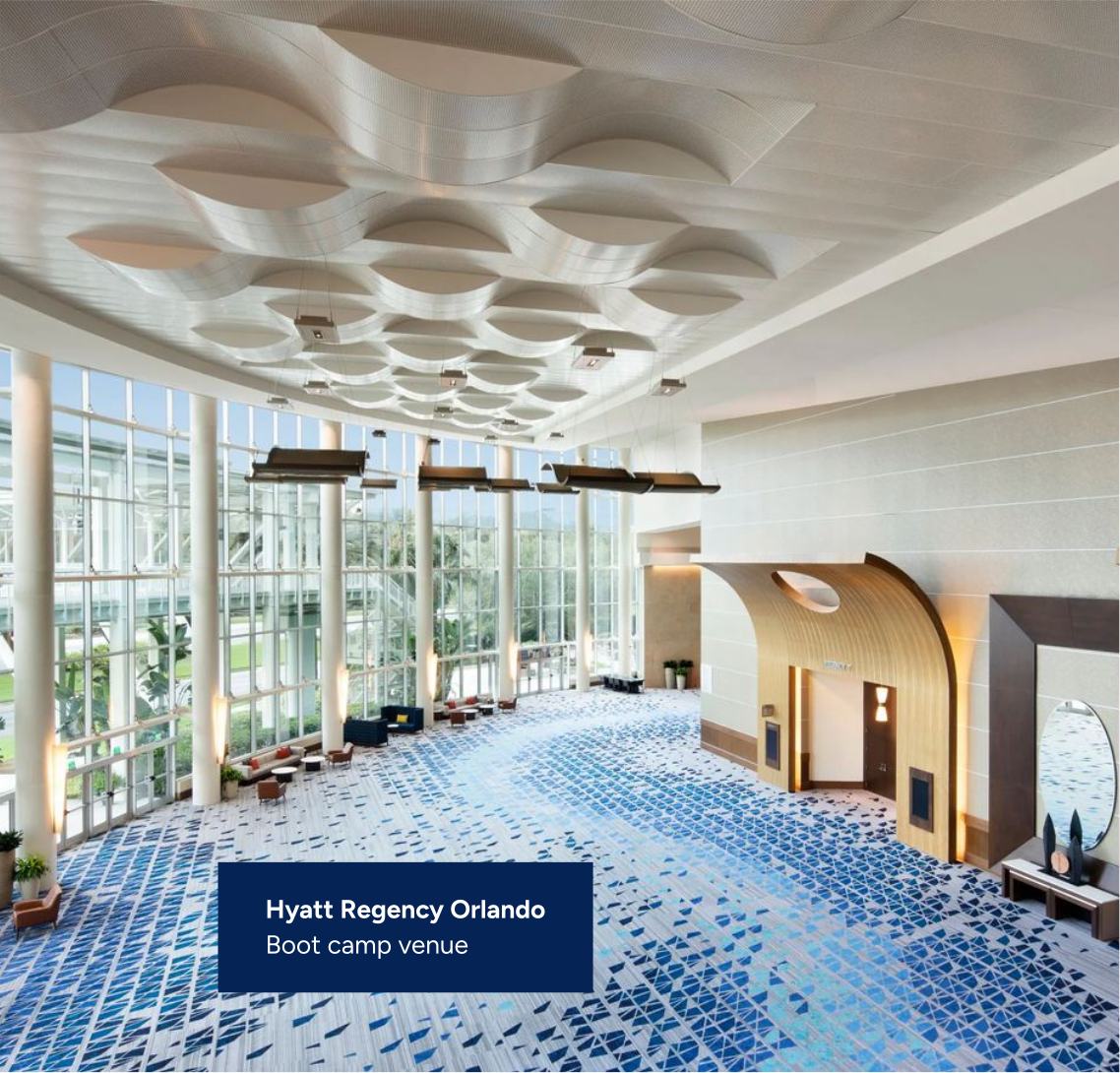
Discounted room block
We hold a block of rooms at the event hotel at a group rate for boot camp attendees. The group rate is good for up to five nights, so you can arrive early or stay on to enjoy Orlando’s parks, golf and dining. March is peak season in Orlando, and the block usually sells out about three weeks before the event, so book early.
- Hotel
- Hyatt Regency Orlando
- Address
- 9801 International Drive
Orlando, FL 32819 - Group rate
- $329 per night plus tax
- Length of stay
- Up to five nights at the group rate
- Availability
- First come, first served. Usually sells out about three weeks prior.
- Group code
- G-DOM7
Getting it approved
Travel requests get scrutiny, and a Florida trip in March gets more. Make the business case first. Here is an email you can edit and send.
Hi [Manager],
I’d like approval to attend the Directions on Microsoft Licensing & Negotiation Boot Camp in Orlando, March 9 to 11, 2027, together with [colleague names].
Why now. Our Microsoft agreement renews [renewal date], and Microsoft’s first proposal usually arrives months ahead of that. This will be our first renewal priced entirely under Microsoft’s current rules, so what worked last time will not carry over.
What it covers. Three days and 18+ hours on Microsoft 365 and Copilot licensing, Windows Server and SQL Server on premises and in Azure, the move from the EA to the Microsoft Customer Agreement, contract terms, and how Microsoft’s deal team negotiates.
Why this provider. Directions on Microsoft is an independent analyst firm that has covered only Microsoft since 1992. They do not sell licenses, earn reseller margin, or sell SAM tools, so their advice is not tied to what we buy.
What we get back. A to do list for our renewal, a reference guide, and direct time with the instructors on questions about our own agreement. I will brief the team within a week of returning.
Cost. $3,495 for one seat, or $2,795 per seat for two or more, about 20% less. [For our team of X: $total.] Travel is [estimate] with the conference hotel’s group rate. For scale, one extra point of discount on our [$ annual Microsoft spend] is worth [1% of spend] a year.
Registration closes March 2, 2027. Could we discuss this week?
Thanks,
[Your name]
Prefer the long version? Get the full funding request letter or the legal review request.
The math, on one screen
A four person renewal team against a $5M annual Microsoft spend.
Illustrative. Travel not included. Substitute your own spend.
Budget tips
- Registration is a training line, not a consulting engagement, which usually means a lighter approval path.
- Pair registration with the renewal project budget, since that is where the savings land.
- Register the team in one order to get the team rate on every seat.
Questions we get
Is this built for large enterprises?
Yes. The content assumes enterprise agreements, MCA-E, multi-tenant and hybrid estates, and renewal teams that span IT, procurement, finance and legal. It is also relevant for government. It is less relevant for education, where Microsoft’s programs diverge materially.
How does team pricing work?
One seat is $3,495. Two or more seats from your organization are $2,795 each: $5,590 for two, $8,385 for three, $11,180 for four, and so on. Seats can go to anyone in your organization, not just your team. Team pricing applies to registrations for the same event, so attendees can’t be split across different trainings.
What if plans change?
Please give us at least two weeks’ notice for a full, no-questions-asked refund. You can also defer your training to a future event or send a substitute.
We already have a reseller who handles our Microsoft licensing.
You should. A reseller carries a quota from Microsoft and earns margin on what you buy, which is arithmetic rather than criticism. That is a different job from this one, and most organizations we work with keep both.
Our team already knows Microsoft licensing.
Most people in the room think so on day one. The rules changed again this year, and almost nobody publishing about the changes is neutral. If your team is current on licensing, the value is the negotiation half.
What do we actually walk out with?
At least one tip that by itself more than covers the cost of the course, a to do list of action items, a reference guide to consult afterward, and peer contacts at other large organizations working the same problems.
Can’t travel in March?
Five virtual sessions cover the same material over five shorter days: January 11 to 15, 2027, 11:00am to 4:00pm ET; April 19 to 23, 2027, 9:00am to 2:00pm ET; July 19 to 23, 2027, 11:00am to 4:00pm ET; September 20 to 24, 2027, 11:00am to 4:00pm ET; and November 1 to 5, 2027, 9:00am to 2:00pm ET. Register for January, April, July, September or November.
Reserve your seats for Orlando
March 9 to 11, 2027. Three days that set up your next Microsoft renewal, and a few evenings of Florida sunshine on either side of them.
- Taught by independent analysts with no stake in what you buy
- Team rate of $2,795 per seat for two or more
- Discounted room block at the conference hotel for up to five nights
Questions first? Call +1 (425) 739-4669 or email service@directionsonmicrosoft.com.
Orlando · March 9 to 11, 2027
Registration closes March 2, 2027. Seats are capped to keep sessions interactive.
Prefer virtual? Jan 11 to 15, 2027, Apr 19 to 23, 2027, or three more dates in 2027.
Not ready to register?
Model what your Microsoft agreement costs on its current path with the Financial Cliff Worksheet. It is a spreadsheet, it stays in your building, and no data is required to start.